
Whether you’re starting from scratch or partnering an existing society with us, setting up a Student Section is straightforward – and you’ll be supported by IMarEST every step of the way.
What is an IMarEST Student Section?
An IMarEST Student Section is a local group of students, cadets or apprentices who organise activities that connect peers to the marine and maritime industry.
A Student Section:
- offers peer support for learning
- provides networking opportunities within the IMarEST and the wider marine industry,
- enable connections with potential employers
- promotes the mission and vision of the IMarEST (see our strategy).
Sections are flexible by design, giving you the freedom to shape activities around the needs and interests of your students.
What type of activities can IMarEST Student Sections do?
Student Sections are encouraged to deliver a mix of technical, professional and social activities, including:
- technical lectures, talks and webinars with industry professionals
- skills workshops (CV writing, mock interviews, leadership, teamwork)
- joint events with local IMarEST branches, other Student Sections or professional bodies
- industry site visits and technical tours
- networking and careers events
- outreach activities promoting STEM to local schools
- community and sustainability initiatives related to the marine sector
The best Student Sections balance learning, networking and socialising.
How to Start an IMarEST Student Section
Step 1: Build your group
Find at least five students, cadets or apprentices who are interested in marine engineering, science or technology. Members can be from any course, year or discipline.
Step 2: Become Student Members
All Student Section members must register for free IMarEST Student Membership.
Step 3: Get in touch
Complete the application form, giving us:
- Your proposed Student Section name (usually your university or organisation),
- Your name and email address
- Your institution or organisation
- Names of at least five Student Section members
For any questions, you can reach us at [email protected].
Step 4: Get a Student Section Mentor
IMarEST will connect you with your local branch, which will appoint a Student Section Mentor (SSM) to support you.
Student sections can also appoint a mentor from their university faculty to act as the liaison between the student section and the university.
Your Mentor will:
- act as a link between your Section and the local branch/the university
- support funding requests
- help connect you with industry, employers and speakers
- ensure activities align with IMarEST’s mission and values
- provide guidance governance, planning and professional development
Step 5: Set up your webpage
Once approved, IMarEST will help you create a Student Section webpage on the IMarEST website.
Your student section members join from this webpage, so it is important that you include a biography that outlines your purpose and plans.
Step 6: Form Your Committee and Start Planning
Hold your first meeting, appoint your committee, and begin planning activities for the year. Committees can use the events submission form to feature their events on the IMarEST website and distribute emails to their members.
Student Section Committee Roles
A Student Section requires a minimum committee of five, giving members valuable leadership experience.
Typical roles include:
- Chair – Leads the Section, oversees activities and liaises with the Mentor
- Vice Chair – Supports the Chair and steps in when needed
- Secretary – Maintains records and liaises with IMarEST HQ
- Treasurer – Manages finances in collaboration with the Mentor
- Content Coordinator – Manages communications, webpages and Connect groups
Larger Sections may also create roles covering events, recruitment, outreach, sponsorship and social activities.
Branding Guidelines
To request your Student Branding Kit, please email [email protected]. An example of our two Student Section Logos are below:
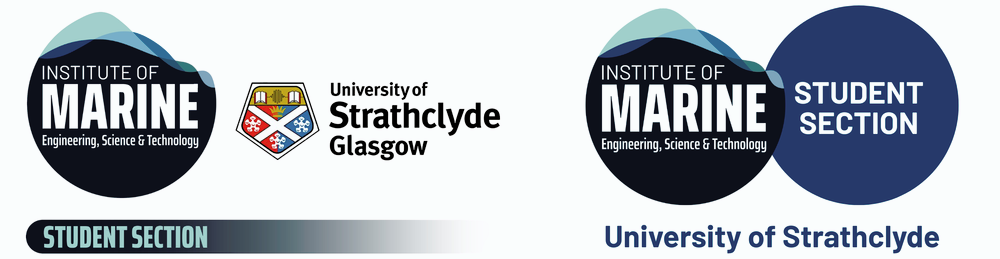
The layouts above features the original IMarEST logo on the left. This layout must remain in this sequence, and the Student Section text remains below the logo(s). Please adhere to the logo use guidelines below:
Ready to get started?
Complete the application form to get your new student section established: